 Cui
Cui 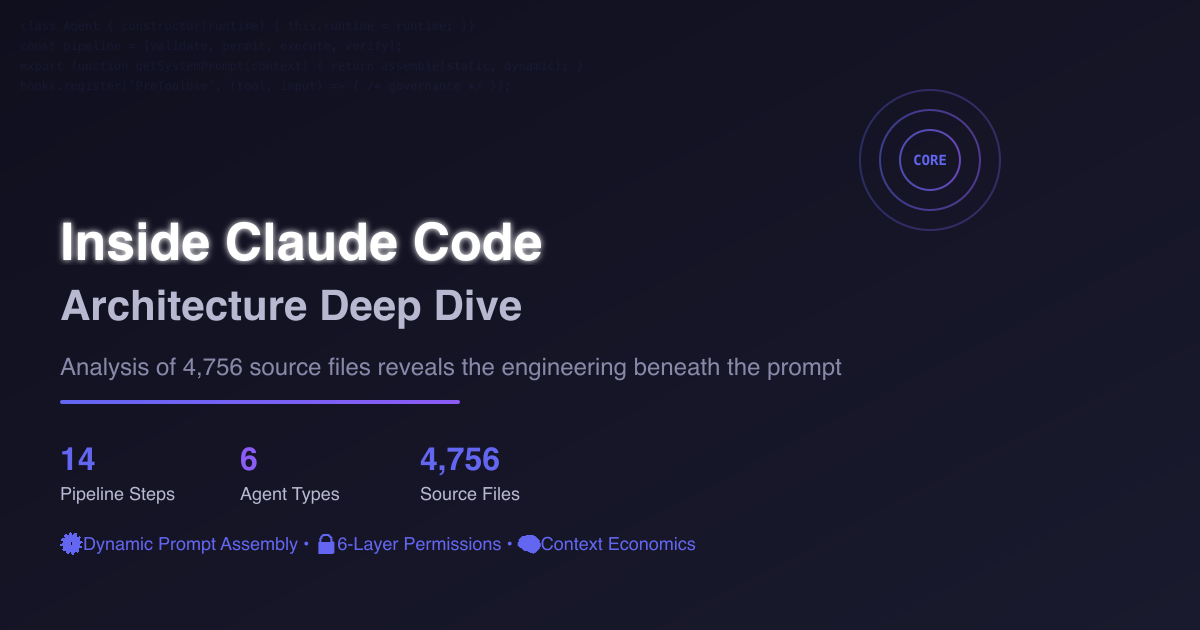
Most people think they understand Claude Code after reading its system prompt. They’re wrong. The prompt is just the surface—beneath it lies a sophisticated engineering platform that took analyzing 4,756 source files to fully comprehend.
This isn’t a CLI tool that wraps an LLM. It’s a runtime platform with multi-agent orchestration, a 14-step execution pipeline, six-layer permission architecture, and an entire context economics system designed to minimize token waste.
I. Why Most Analyses Miss the Point
Current Claude Code analyses focus on two things: what the system prompt says, and which tools it calls. Both matter, but they’re just the skin of the system.
You could copy the same prompt and connect the same tools—your result would feel nothing like Claude Code. The difference isn’t in the words; it’s in the orchestration mechanism behind the prompt, the governance pipeline behind the tools, the division of labor behind the agents, and the perception channels that let the model know what it can do.
This combination is what creates the “stability” you feel when using Claude Code. That stability doesn’t come from magic copywriting—it comes from engineering.
II. First Glance: Not a CLI Tool, but a Runtime Platform
Looking at the top-level src/ directory reveals modules far beyond a simple CLI wrapper:
- entrypoints - Entry layer
- constants - Constants and prompts
- tools - Tool definitions
- services - Runtime services
- commands - Command system
- components - UI components
- coordinator - Agent coordinator
- memdir - Memory system
- plugins - Plugin system
- hooks - Hook system
- bootstrap - State initialization
- tasks - Task system
The entry layer is particularly revealing. It has four entry points: CLI, initialization flow, MCP mode, and SDK. The same agent runtime can serve four different interaction interfaces. This is the hallmark of platform design.
The command system isn’t just decoration. It registers a dozen system-level commands: /mcp, /memory, /permissions, /hooks, /plugin, /skills, /tasks, /plan, /review, /agents. The command system also unifies loading of plugin commands, skill commands, bundled skills, and dynamic skills—making it the gateway to the entire ecosystem.
Compare this to most open-source coding agents: typically one main file, one prompt file, a few tool files, and a utils directory. Claude Code operates at a completely different scale—not for aesthetics, but because it solves fundamentally more problems.
III. Prompts Aren’t Text—They’re Assembly Machines
This might be the most counter-intuitive part of the entire codebase.
Most people assume the system prompt is a large fixed text block injected at startup. Claude Code works completely differently. Its system prompt is dynamically assembled by a function called getSystemPrompt().
This function acts more like an orchestrator. It first assembles a set of static modules, then adds dynamic modules based on current session state.
Static Components
- Identity positioning (
getSimpleIntroSection) - System specifications (
getSimpleSystemSection) - Task philosophy (
getSimpleDoingTasksSection) - Risk action norms (
getActionsSection) - Tool usage norms (
getUsingYourToolsSection) - Tone and style (
getSimpleToneAndStyleSection) - Output efficiency (
getOutputEfficiencySection)
Dynamic Components
- Session guidance
- Memory
- Environment information
- Language settings
- Output style
- MCP instructions
- Scratchpad
- Function result clearing
- Summarize tool results
- Token budget
- Brief mode
Think of it this way: the static part is the agent’s “constitution”—the same across all sessions. The dynamic part is “current policy”—adjusted based on which tools you’re using, which MCP servers are connected, what language you’re using, and whether brief mode is enabled.
The Cache Boundary Trick
There’s a particularly elegant design detail: a marker called SYSTEM_PROMPT_DYNAMIC_BOUNDARY. The comment clearly states: content before the boundary should remain cache-friendly; content after is user and session-specific and shouldn’t be modified carelessly or it will break caching.
This means Anthropic considers token economics when managing system prompts. Content before the boundary is stable and can be cached by the API layer, avoiding recalculation each time. Content after varies, so it’s placed later without affecting cache hits before it.
Most people writing prompts never think about this layer. But when your product handles massive daily requests and every token has a cost, this design directly impacts operational expenses.
IV. Behavioral Norms: Training an AI Engineer Not to Go Rogue
Claude Code has a module called getSimpleDoingTasksSection() that might be the most unassuming yet most useful part of the entire system.
It does something simple: tells the model what to do and what not to do. But it lists this very specifically:
- Don’t add features the user didn’t request
- Don’t over-abstract
- Don’t refactor randomly
- Don’t add unnecessary comments and docstrings
- Don’t add unnecessary error handling and fallback logic
- Don’t design a bunch of future-facing abstractions
- Read code before modifying it
- Don’t create new files lightly
- Don’t give time estimates
- When methods fail, diagnose the cause before switching strategies
- Delete things confirmed useless—don’t keep compatibility garbage
- Report results honestly—don’t pretend you tested when you didn’t
If you’ve used other coding agents, you’ve definitely encountered these problems: you ask it to fix a bug, it spontaneously refactors half the file. You ask it to add a feature, it adds three layers of abstraction and five error handlers you didn’t ask for. You ask it to test something, it says “tests passed,” but it never actually ran them.
The root cause isn’t that models are dumb—it’s that model behavior isn’t constrained. Claude Code solves this not with smarter models, but by writing behavioral norms as policy.
Risk Action Specifications
The getActionsSection() module defines what qualifies as “risk actions requiring confirmation”:
- Destructive operations
- Hard-to-rollback operations
- Modifying shared state
- Externally visible actions
- Uploads to third-party tools
It also specifically emphasizes: don’t use destructive operations as shortcuts, investigate unfamiliar states first, don’t brutally delete merge conflicts and lock files.
This design embeds blast radius awareness into the system. You can’t expect an AI to think “how large is the blast radius of this operation?” every time it makes a decision. But you can tell it at the system level which operations require stopping for confirmation.
Tool Usage Grammar
The tool usage specifications are even more specific:
- Read files with
FileRead, notcat/head/tail - Modify files with
FileEdit, notsed/awk - Create files with
FileWrite, notechoredirection - Search files with
Glob, search content withGrep - Reserve
Bashonly for scenarios genuinely needing shell - Tool calls without dependencies should be parallelized
This isn’t saying “you have these tools.” It’s saying “you must use these tools the right way.” Claude Code’s stability is closely related to this tool usage grammar. Much agent instability comes precisely from models using tools incorrectly—like using bash sed to modify code, where one regex error crashes everything.
V. Multi-Agent Division of Labor: Why One Person Can’t Do Everything Well
The source code confirms at least six built-in agents:
- General Purpose Agent
- Explore Agent
- Plan Agent
- Verification Agent
- Claude Code Guide Agent
- Statusline Setup Agent
This design choice isn’t for show. It’s based on a clear judgment: making one agent do research, planning, implementation, and verification simultaneously means none of it gets done solidly.
Explore Agent: Read-Only by Design
The Explore Agent is designed as pure read-only mode. It cannot:
- Create files
- Modify files
- Delete files
- Move files
- Write temp files
- Use redirection to write files
- Run any state-changing system commands
Its available tools are only Glob, Grep, FileRead, and limited Bash (only ls, git status, git log, git diff and similar read operations). It’s deliberately trimmed into a read-only specialist.
Why? Because if the exploration phase accidentally modifies something, the implementation phase will have problems. Completely isolating exploration and implementation permissions is a simple but effective safety design.
Plan Agent: The Architect
The Plan Agent is also read-only. Its responsibilities are:
- Understanding requirements
- Exploring codebase patterns and architecture
- Outputting step-by-step implementation plans
- Listing key implementation files
It’s defined as an architect, not an executor. The benefit of separating planning and implementation is that the planning phase can focus on thinking through how to do things, without skipping thought processes due to rushing to write code.
VI. Verification Agent: The System’s Most Valuable Design
The Verification Agent’s prompt might be the most ruthless one in the entire codebase.
Its core direction isn’t “confirm the implementation looks okay.” Its direction is try to break it—actively try to break it.
Avoiding Verification Failures
The prompt opens by pointing out two common verification failure modes:
- Verification avoidance: Just looking at code without running checks, writing PASS and moving on
- Fooled by the first 80%: UI looks fine, tests pass, so the remaining 20% of problems are ignored
Mandatory Verification Actions
The prompt then mandates a series of verification actions:
- Run build
- Run test suite
- Run linter and type checking
- Specialized verification based on change type:
- Frontend changes: Run browser automation or verify page sub-resources
-
Backend changes: Actually test responses with
curlorfetch - CLI changes: Check stdout, stderr, and exit codes
- Database migrations: Test up and down, test with existing data
- Refactoring: Test whether public API surface has changed
Even more strictly, it requires adversarial probes—actively seeking edge cases and vulnerabilities. Every check must include the actual executed command and observed output. Finally, it must give a VERDICT: PASS, FAIL, or PARTIAL.
This design solves the most common problem in LLM verification work: “good enough will do.” Human engineers also make this mistake during code reviews, but at least humans have experience accumulation and professional pressure. LLMs don’t have these—if you don’t write verification standards into the prompt, they really will glance over things and say PASS.
Claude Code’s approach is to use prompts to counteract this tendency. And because the Verification Agent is an independent role, it has no conflict of interest with “the agent that wrote the code.” The code-writing agent might tend to think its work is fine, but the verification agent has no such bias—its job is to find problems.
This separation of implementer and verifier is common sense in traditional software engineering, but most AI agent systems haven’t reached this step yet.
VII. Agent Scheduling Chain: A 14-Step Pipeline Isn’t Over-Engineering
When a sub-agent is triggered to completion in Claude Code, it goes through a complete pipeline with 14 steps:
- Main model decides to call Agent tool
-
AgentTool.call()parses input - System determines if this is teammate, fork, built-in, background, or remote
- Selects corresponding agent definition
- Constructs prompt messages
- Constructs or inherits system prompt
- Assembles tool pool
- Creates agent-specific
ToolUseContext - Registers hooks, skills, MCP servers
- Calls
runAgent() -
runAgentinternally callsquery()to enter main loop -
queryproduces message stream -
runAgentrecords transcript, handles lifecycle, cleans resources -
AgentToolaggregates results or goes through async notification
These 14 steps look like many, but each solves a specific problem.
The Fork Path Cache Optimization
The distinction between fork and normal path is particularly interesting. When you fork a sub-task, it inherits the main thread’s system prompt and full conversation context, with tool sets also kept as consistent as possible. Why? To keep API request prefixes byte-identical, thereby reusing the main thread’s prompt cache.
This detail is easily overlooked, but it reflects a difference in thinking. Regular people doing sub-agent scheduling think “sub-task just needs to run.” Claude Code thinks “sub-task needs to run, AND maximize reuse of main thread cache without wasting tokens.”
VIII. Tool Execution: A Governance Pipeline, Not One-Step
When the model decides to call a tool, Claude Code doesn’t directly execute the corresponding function. The actual path is:
- Find the corresponding tool definition
- Parse MCP metadata
- Input validation with Zod schema
- Run the tool’s own
validateInput - For Bash commands, run a speculative classifier check to predict risk
- Run PreToolUse hooks
- Parse permission results returned by hooks
- Go through formal permission decision process
- Based on permission decision, may revise input again
- Only then actually execute
tool.call() - After execution, record analytics, tracing, and OTel
- Run PostToolUse hooks
- Handle structured output
- If failed, run PostToolUseFailure hooks
Hook System Power and Constraints
The most interesting part of this chain is the Hook system. PreToolUse hooks can return:
- message
- blockingError
- updatedInput
- permissionBehavior
- preventContinuation
- stopReason
- additionalContexts
This means hooks can rewrite input, directly allow or deny, prevent subsequent processes, and supplement context information.
But hook power isn’t unlimited. The resolveHookPermissionDecision() function defines a key rule: if a hook says “allow,” it can’t necessarily bypass deny/ask rules in system settings. If the tool itself requires user interaction and the hook doesn’t provide alternative input, it still must go through the unified permission process. If a hook says “deny,” it takes effect directly.
This design is mature. Hooks have sufficient expressiveness for runtime policy, but they can’t bypass the core security model. Powerful yet controlled—this reflects engineering maturity.
IX. Skill, Plugin, MCP: The Ecosystem Key Is Model “Awareness”
Claude Code has three extension mechanisms: Skill, Plugin, and MCP.
Skills: Workflow Packages
Skills aren’t documentation—they’re workflow packages. Their form is markdown prompt bundles with frontmatter metadata, can declare allowed-tools, can be injected into current context on demand, compressing repetitive workflows into reusable capability packages. The system requires the model to call the Skill tool when a task matches a certain skill, not just mention the skill without executing it.
Plugins: Behavior-Level Extensions
Plugins are heavier than skills. They can provide:
- Markdown commands
- SKILL.md directories
- commandsMetadata
- userConfig
- Shell frontmatter
- Allowed-tools
- Model and effort hints
- User-invocable markers
- Disable-model-invocation markers
- Runtime variable substitution support
Plugins aren’t ordinary CLI plugins—they’re model behavior-level extension units.
MCP: Tool Bridges with Instructions
MCP isn’t just a tool bridge. From prompts.ts, we can see that when an MCP server connects, if the server provides instructions, these instructions are spliced into the system prompt. This means MCP can give the model two things simultaneously: new tools, and instructions on how to use these tools.
The Common Thread
These three mechanisms have something in common: they don’t just “mount to the system.” They make the model aware of what extended capabilities it currently has, when to use them, and how to use them through channels like skills lists, agent lists, MCP instructions, session-specific guidance, and command integration.
Many platforms also have plugin systems and tool marketplaces, but the model itself doesn’t know these things exist. It’s like equipping someone with a complete professional toolbox, but they don’t know what’s in it or when to open it. Claude Code’s approach is to put the toolbox inventory and usage instructions where the model can see them. This is the prerequisite for an ecosystem to actually work.
X. Context Economics: How It Treats Tokens as Money
Throughout the source code, massive amounts of design revolve around one theme: context is a scarce resource, not free air.
We’ve already discussed:
- System prompt’s static/dynamic boundary for caching
- Fork path’s cache-identical prefix design for reusing main thread cache
More Fine-Grained Optimizations
- Skills are injected on demand, not all stuffed in at the start
- MCP instructions are injected based on current connection state—unconnected server instructions don’t occupy context space
- Function result clearing mechanism
- Summarize tool results mechanism
- Compact and transcript mechanisms
- Resume mechanism
These mechanisms collectively do one thing: within a limited context window, load the most useful information, minimize repetition and redundancy, maximize cache hits.
For people building demos, context management isn’t a problem—demos run a few times and end. But for people building products, context economics directly relates to cost and experience. If your system processes tens of thousands of requests daily, each request’s system prompt has thousands of tokens, and cache hit rate improves by 10%, the money saved over a month might be enough to hire another person.
XI. The Last Mile of Productization: Lifecycle Management
The runAgent() function contains much unassuming but revealing code:
recordSidechainTranscript()writeAgentMetadata()registerPerfettoAgent()cleanupAgentTracking()killShellTasksForAgent()- Cleanup session hooks
- Cleanup cloned file state
- Cleanup todos entry
Background agents have independent abort controllers, can continue running in the background, and return to the main thread through notifications after completion, with auto-summarization support. Foreground agents can be converted to background during execution, with progress tracking.
These features individually aren’t stunning. But together, they show Anthropic doesn’t just care about “getting agents running”—it treats transcript recording, performance tracking, resource cleanup, session recovery, and foreground/background switching as formal components of runtime lifecycle.
Most agent systems run fine on day one. Problems appear on day two, day three, day one hundred. How do you resume after task interruption? How do you clean dirty state? What if sub-agent shell processes aren’t killed? What if MCP connections leak? Without solving these problems, the product can only be a demo.
Claude Code has explicit handling paths for all these issues. This is why it feels more like a proper product than a very clever prototype.
What You Can Learn From This
After taking all this apart, looking back, what Claude Code does can be summarized into several design principles:
1. Don’t Trust Model Self-Discipline
Good behavior must be written as policy, not depend on model improvisation. If you want the model to read code before modifying it, write this rule into the prompt. If you want the model not to randomly add features, write this rule into the prompt. If you want the model to stop for confirmation on risky operations, add permission checks at the runtime layer.
2. Separate Roles
At minimum, separate “the doer” and “the verifier.” Even if current conditions are limited and you only use the same model, separating responsibilities will bring noticeable improvement. Because when the same agent both implements and verifies, it naturally tends to think its work is fine.
3. Tool Calls Need Governance
It’s not “model says call, so call.” There needs to be input validation, permission checking, and risk prediction in between. Execution completion isn’t the end either—there must be post-processing and failure handling. This governance layer determines system performance under abnormal conditions.
4. Context Is a Budget
Every token has a cost, every piece of information occupies space. Cache what can be cached, don’t stuff in what can be loaded on demand, compress what can be compressed. Demos don’t need to care about this, but products must.
5. The Ecosystem Key Is Model Perception
You connected ten plugins to the system, but the model doesn’t know when to use which one—those ten plugins might as well not exist. The final step of an extension mechanism is letting the model see its capability inventory and know what capabilities to use in what scenarios.
The Universal Applicability
These five principles don’t just apply to coding agents—they apply to almost all systems needing LLMs to do complex tasks. Claude Code’s value isn’t in specific implementations, but in using engineering practice to verify that these principles actually work.
You don’t need to replicate everything. Start supplementing from the weakest link—every layer you add will improve the system’s “feel” by one level.
One-Sentence Summary
After dismantling Claude Code’s 4,756 source files, I discovered its secret isn’t in the prompts—it’s in a complete engineering system that connects behavioral policies, tool governance, agent division of labor, context economics, and lifecycle management into a closed loop.
Reference: Original analysis by Xiao Tan (@tvytlx) on Twitter/X
Have you analyzed Claude Code’s architecture? Found interesting patterns? Let’s discuss in the comments.
 Claude Code Source Leak: Hidden Features, Security Architecture, and April Fools' Surprises
Click to load Disqus comments